
In-app advertising works best when it supports the reason a person opened the app in the first place. Users may accept ads as part of a free experience, but they still expect the app to remain fast, understandable, and easy to use. Teams evaluating offerwall placements for publishers should treat every monetization decision as a product decision, not simply an inventory decision.
A better ad experience does not necessarily mean showing fewer ads in every case. It means showing the right format at an appropriate time, giving users clear controls, and measuring whether revenue gains come at the expense of satisfaction and retention. When advertising feels predictable and relevant to the app flow, it is less likely to compete with the core experience.
Table Of Contents
- Why Ad Experience Matters More in 2026
- Audit the Full User Journey
- Match Ad Formats to the Right Moment
- Protect Speed and Accessibility
- Balance Revenue With Retention
- Build Around Privacy and Consent
- Measure More Than Impressions
- Test in Small Steps
- Common Mistakes to Avoid
- A Practical 30-Day Plan
Why Ad Experience Matters More in 2026
Acquiring a download is only the beginning of an app relationship. Long-term value depends on whether users return, complete meaningful actions, and feel that the product respects their time. An intrusive ad can interrupt a task, create accidental taps, or make navigation feel unreliable. Over time, those moments can contribute to shorter sessions, poor reviews, and users choosing alternatives.
The better question is not, “Where can another ad fit?” It is, “At what moment could an ad appear without disrupting user intent?” That change in perspective helps teams protect product quality while still building sustainable monetization.
Audit the Full User Journey
Start with a session map rather than an ad dashboard. Follow a new user and a returning user from launch through the main action, then note every point where an ad appears. Include banners, native units, interstitials, rewarded ads, and any offerwall experience.
- Identify the app’s primary user goal for each session.
- Mark natural pauses, completed tasks, and optional value exchanges.
- Flag moments that require concentration, urgency, or precise input.
- Compare exposure rules for new users, loyal users, subscribers, and purchasers.
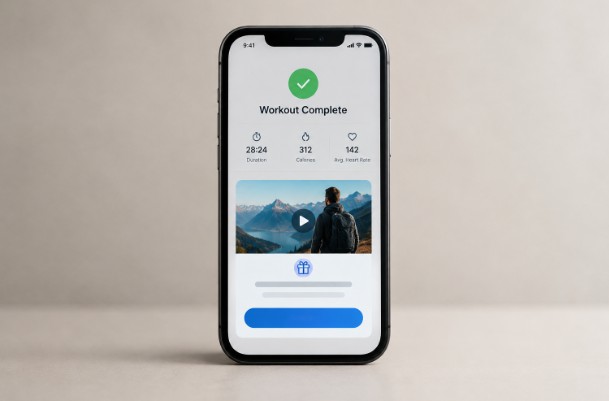
For example, a fitness app could offer an optional reward after a workout is completed. Interrupting a timed exercise, by contrast, risks disrupting the exact activity the app was designed to support.
Match Ad Formats to the Right Moment
Different formats create different expectations. The broad range of mobile advertising formats makes format selection as much a user-experience question as a revenue one.
- Rewarded ads work best when the reward is clear, and the user actively chooses to participate.
- Native ads can suit content feeds when they are visually distinguishable from editorial or user-generated content.
- Interstitials belong at genuine transition points, such as after a level, article, or completed workflow.
- Banner ads should not cover controls, labels, or content users need to read.
- Playable ads need responsive loading, obvious exit controls, and a clear return path to the app.
Whatever the format, users should understand what an advertisement is, what action it will take, and how to dismiss it. Clear labeling and predictable behavior are essential.
Protect Speed and Accessibility
An attractive ad is still a poor experience if it freezes the interface, delays content, or prevents a user from continuing. Test ad behavior on older devices, different operating systems, smaller screens, and weaker connections. Quality assurance should also cover portrait and landscape orientations, app backgrounding, and return states.
Ad Quality Checklist
- Does the ad load without blocking the main screen?
- Is the close control visible, large enough to use, and accurately labeled?
- Does text have adequate contrast and remain readable at larger font settings?
- Can assistive technology identify important controls?
- Does the app return users to the correct place after an ad closes?
Balance Revenue With Retention
More impressions can lead to a short-term revenue increase, but the result is incomplete if users reduce their activity afterward. Establish frequency limits for disruptive formats and avoid treating every session the same way. A first-time user may need more time to understand the product, while a loyal user may respond better to an optional, value-based ad opportunity.
Compare changes against retention, ratings, support requests, and session behavior, not revenue alone. For instance, improving the timing and value of a rewarded placement may be more sustainable than inserting one more forced interstitial into every session.
Build Around Privacy and Consent
Privacy belongs in the product plan from the beginning. Use plain language when requesting consent, explain why information is collected, and avoid collecting data that the team cannot clearly justify. Review every advertising SDK, its permissions, its data flows, and its contractual commitments on a recurring schedule.
The Federal Trade Commission advises businesses to collect only what they need, protect the information they hold, and accurately honor their privacy promises in its privacy and security guidance. For app teams, that means aligning consent screens, privacy policies, vendor settings, and actual implementation.
Measure More Than Impressions
Impressions, fill rate, click-through rate, eCPM, and revenue per daily active user are useful, but they do not show the full effect of an ad strategy. Pair them with product-health measures such as session length, return frequency, ad completion rate, churn, uninstall trends, ratings, complaints, failed renders, and load time.
Segment the results. A change that performs well for established users may frustrate new users. Likewise, a placement with strong clicks may be creating accidental interactions if it sits too close to navigation or action buttons.
Test the Ad Experience in Small Steps
Change one meaningful variable at a time. Test a different cooldown period, a new transition point, or a revised reward, then monitor revenue and user health together. Limit the initial audience, define success criteria before launch, and keep a rollback option ready if performance or feedback worsens.
Common Mistakes to Avoid
- Adding ads to every screen with available space.
- Interrupting tasks that require focus, speed, or payment information.
- Using misleading close buttons or controls that encourage accidental taps.
- Ignoring device performance and network variability.
- Judging success through clicks alone.
- Allowing ad creative that conflicts with brand-safety expectations.
A Practical 30-Day Improvement Plan
Week One: Gather Evidence
Inventory every placement, review user flows, examine performance by audience segment, and read recent app-store feedback and support tickets.
Week Two: Remove Friction
Fix confusing placements, improve close controls, verify loading behavior, and remove ads that obscure important app functions.
Week Three: Run Controlled Tests
Test a change in timing or frequency with a limited audience. Evaluate revenue, retention, technical performance, and complaints together.
Week Four: Establish Ongoing Rules
Create a repeatable ad-quality checklist, schedule vendor reviews, and maintain a dashboard that brings monetization, experience, and privacy signals into one view.
Conclusion
Strong in-app advertising supports the product instead of competing with it. By placing ads at natural moments, protecting performance, respecting privacy, and watching long-term user health alongside revenue, mobile teams can create monetization experiences that feel useful, predictable, and easier for users to accept.